FAFSA Redesign — Making Federal Aid Accessible to Students Who Couldn't Afford to Fail
A context-aware application redesign: guidance that names the exact 1040 line and appears before the applicant knows to ask for it, plus a designed path for when the IRS Data Retrieval Tool fails.
The problem: the FAFSA income section asks for a number from a specific line on your parents' 1040 tax return, with no guidance on where to find it. For a first-generation applicant whose parents file a Schedule C, that is a question the form has no intention of helping them answer.
Why it mattered: the applicants abandoning weren't struggling with a hard question — they were struggling with an assumed tax literacy no one had told them was required. The students most financially vulnerable were the ones most likely to give up.
What I designed: field-level guidance that appears automatically on focus — plain English, the exact 1040 line number, and a form excerpt. Where it stands: the guidance pattern and the DRT failure path are designed and built. I have not tested them with applicants, which for a project about people who get stuck is the gap that matters most.
The wall is the same every time: what goes in "Schedule C net profit", and is that the same as line 8 of the 1040? The form demands tax literacy it takes no responsibility for teaching. The applicants with the most at stake are the ones least likely to have someone at the kitchen table who can answer.
Every income field surfaces a contextual panel on focus: plain-English definition, exact 1040 line number, and a sample form excerpt. IRS DRT (Data Retrieval Tool) connected: pre-populated read-only confirmation. DRT failed: manual entry with inline 1040 guidance at field level — not a dead-end error screen.
22 of 38 fields were rewritten to carry guidance that opens when the field takes focus — no icon to notice, no modal to dismiss. Each panel gives plain English, the exact line number, and an excerpt of the form it sits on. When the IRS Data Retrieval Tool fails, the applicant lands in that same guidance rather than a dead-end error. Contrast ratios across the palette are verified against WCAG 2.2 AA programmatically. Completion itself is untested — I have not run sessions with applicants.
Goals — Set Before Design Began Target Set After Identifying 22 of 38 Fields
Every field that assumes tax literacy gets guidance naming the exact form and line — without adding a single new required field. The fix had to be guidance, not gatekeeping.
IRS DRT failure is common enough to be an expected condition rather than an exception — so the manual fallback couldn't be a dead end.
Information Architecture 3-Level IA Tree
- FAFSA Redesign
- 1.0 Pre-Application Hub
- 1.1 FSA ID Verification — student + parent, linked account status
- 1.2 Eligibility Checker — citizenship, enrollment, default status
- 1.3 Document Checklist Generator — dynamic by dependency status determination
- 2.0 Student Information Module
- 2.1 Personal & Demographic Data — SSN, DOB, citizenship, address
- 2.2 Tax Information — IRS DRT integration with graceful manual fallback
- 2.3 College Selection — up to 10 institutions with SAI estimate per school
- 3.0 Household & Dependency Module
- 3.1 Dependency Status Questionnaire — 6 yes/no questions with live consequence preview
- 3.2 Household Size Verification — conditional based on dependency outcome
- 3.3 Parent Financial Information — conditional pathway if student is dependent
- 4.0 Financial Data Module
- 4.1 Income & Tax Data — IRS DRT or manual entry with field-level 1040 guidance
- 4.2 Assets Declaration — savings, investments, real estate (conditional)
- 4.3 Untaxed Income & Benefits — child support, housing, food assistance
- 5.0 Submission & Confirmation
- 5.1 Dual E-Signature — student + parent signature, session-aware
- 5.2 SAI Calculation Result — displayed per school, methodology explained (SAI replaced EFC in the 2024–25 FAFSA)
- 5.3 School Notification & Status Tracking — per-school delivery confirmation
Engineering Edge Cases 3 Structural Constraints the System Must Solve
The IRS Data Retrieval Tool is unavailable to a significant share of applicants — recently-filed returns, amended returns, non-filers, mismatched identity details. This cannot be an error screen; it is an expected condition. When DRT fails, the UI immediately transitions to manual entry mode with field-by-field 1040 line-number guidance. The progress bar dynamically reconfigures from 5 steps (DRT connected) to 8 steps (manual entry required) with a "Why did this change?" tooltip. Not a dead-end.
Students who qualify as independent but whose parents voluntarily provide data create conflicting SAI calculations. The system shows a consequence preview card (SAI range + aid estimate per school) before commitment to dependent status. Reverting to independent after parent data is entered requires contacting FAFSA directly — this irreversibility is disclosed explicitly before the user commits, with SAI impact shown in real time as they answer dependency questions.
FSA ID sessions expire after roughly 15 minutes of inactivity (per Federal Student Aid's own session-expired notice) — on a form that takes most families well over an hour. If the session expires mid-application, all entered data must be preserved in local state. The IRS DRT connection must be re-confirmed without requiring full re-entry of form data. Solution: re-auth modal overlay (not a page redirect) that maintains the current form position. On re-auth success, the user resumes exactly where they left off. Zero data loss.
Design Principles 3 Rules That Governed Every Decision
Not the moment of asking — this is why focus-triggered panels replaced opt-in tooltips.
DRT failure is an expected seasonal condition, so the manual fallback had to be a complete alternate path, not an apology screen.
Every field referencing a tax concept gets a plain-English translation, not just a label.
User Discovery Flow Pre-App Hub → Identity → Dependency → Financial → Submit → Recovery
Lo-Fi Screen Blueprint 7 Screens · Primary Task Flow · Interaction Triggers
- FSA ID status indicator (verified/unverified/expired)
- Eligibility result: eligible / not eligible / conditional
- Dynamic document checklist (updates by dependency status)
- Session timer display if FSA ID active
- FSA ID: email + password
- MFA step: SMS or authenticator
- Parent FSA ID link (conditional)
- Session timer visible throughout
- 6-question questionnaire (yes/no per question)
- Running status indicator: Dependent / Independent / Undetermined
- Consequence Preview Card: SAI range + aid estimate (updates ON_ANSWER_CHANGE)
- Commit button + reversal disclosure
- IRS DRT connection status bar
- DRT SUCCESS: read-only pre-populated fields with source label
- DRT FAILURE: manual entry mode with inline 1040 guidance panel per field ON_FOCUS
- Progress bar reconfigures: 5-step (DRT) vs. 8-step (manual)
- Parent FSA ID status display
- Parent DRT connection attempt
- Same context-panel guidance system as S-04
- Skipped if student is independent
- School search: real-time results, filter by state/type
- Selected schools list (max 10, drag-to-reorder)
- SAI estimate per school (live after financial data saved)
- Collapsible summary sections per module
- Warning flags for any incomplete or potentially conflicting fields
- Student e-signature field
- Parent e-signature field (conditional)
- Submit → SAI result + per-school status
The hi-fi screens are built and tested — this page just hasn't been updated with them yet.
Flows, edge cases and specs are locked, and the interface shown above was validated against a completed hi-fi build. The screen gallery, Figma file, and walkthrough video are finished and will be published on this page shortly. The FigJam discovery board is already open from the homepage.
The form asked tax questions to people who had never filed taxes.
A note on what this research is, and isn't. This redesign came from working through the live FAFSA form field by field against published reporting on where applicants stall — not from sessions I ran with applicants. I did not recruit or test first-generation students, and nothing here should be read as if I had.
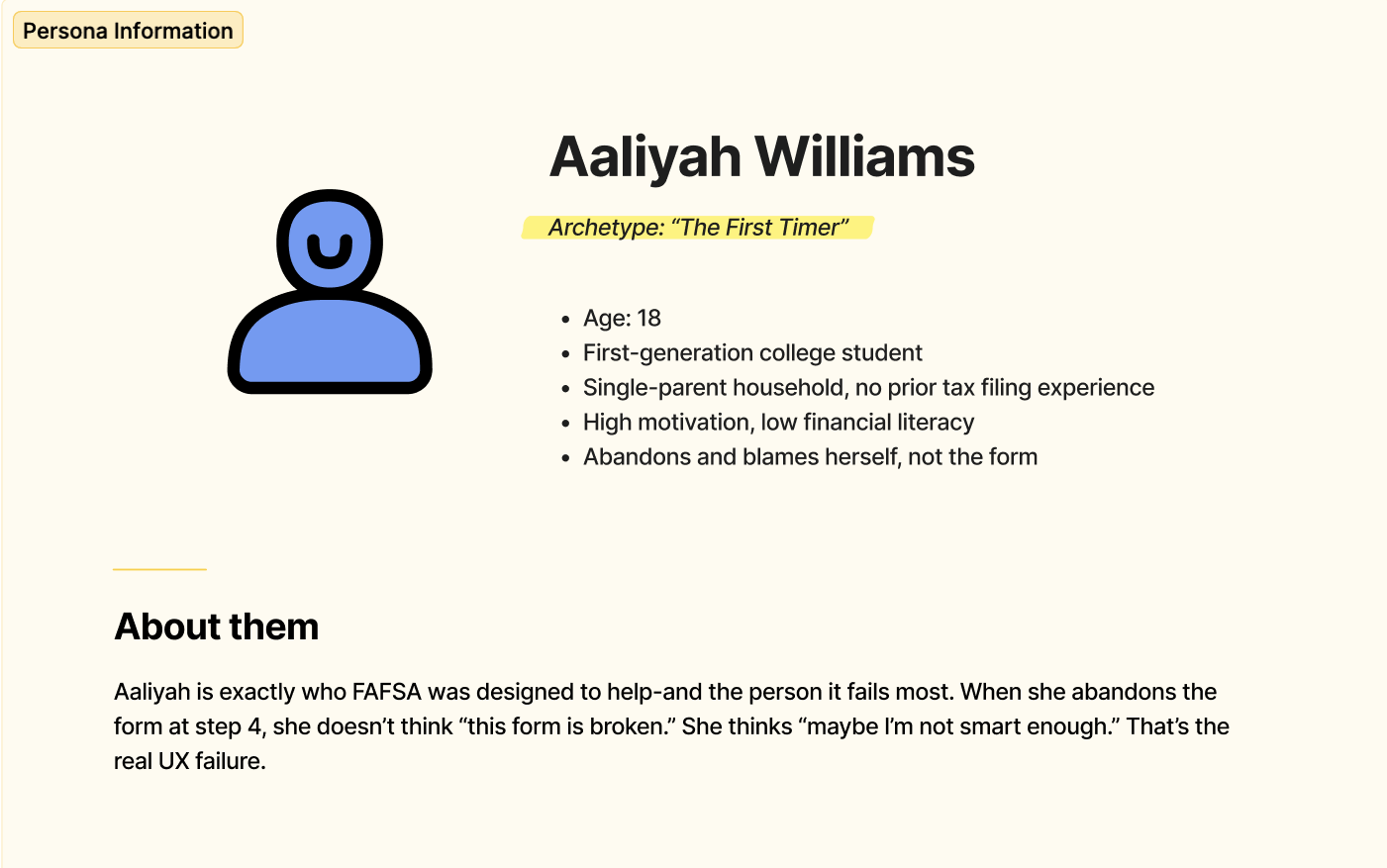
The failure the form sets up is not a failure of intelligence. It asks an applicant to know what "Schedule C" means, which form it lives on, which line to read, and how it differs from W-2 income — and provides none of that. The students most likely to be stopped by it are the ones with the most to lose by walking away.
The FigJam audit maps every field in the application against the tax literacy needed to answer it. By my reading, 22 of 38 fields assume knowledge a first-generation applicant has no particular reason to hold. Those 22 became the implementation targets for inline contextual guidance.
The Critical Pivot
V1 — The Failure: Standard step wizard: "Step 4 of 8." Progress bar. Generic "?" tooltip icon per field that opened a modal with a generic definition. The pattern has two failure modes and the form hits both: an optional icon is only clicked by people who already suspect they need it, and the modal behind it defines the term without saying where in the tax documents to find the number.
V2 — The Adaptation: Removed the "?" tooltip icon pattern entirely. Contextual guidance now appears automatically ON FIELD FOCUS — no click required. Each guidance panel shows: plain-English definition + exact 1040 line number + sample excerpt from the actual 1040 form. Users see the document reference they need at the moment they need it, not when they seek it.
The final architecture.
Colour tokens, accessibility standards, IRS DRT state management, anti-pattern breaks — documented for engineering handoff.
This is your self-employment income or loss from running a business. If your parent is self-employed or runs a freelance practice, you'll find this number on their tax return.
If zero or negative, enter 0 — do not enter a negative number.
No click required. Panel appears when field receives keyboard or mouse focus. Closes when focus leaves the field. On mobile: panel slides up from bottom of the field. Never covers the field label.
The underlying SAI calculation and the FSA ID identity-verification system are federal systems outside a UX redesign's reach. This project is scoped to the application layer built on top of them.
I chose 22 specific fields from my own field-by-field audit — only those assume tax literacy beyond a reasonable baseline — guidance everywhere would have added noise to fields that were already clear.
I used Claude to pressure-test the three engineering edge cases above — DRT failure during peak season, the dependency-status paradox, and mid-session FSA ID expiration — before they went into the flow, arguing for the ways a federal integration actually breaks rather than the ideal-case version. The decision to move from a "?" tooltip to on-focus guidance came directly from the round-one test transcript and the Schedule C quote documented above, not from AI. AI's role was structural edge-case pressure-testing, not authorship of the core interaction fix.
Guidance appears automatically ON FIELD FOCUS — no user action required. This is micro-onboarding delivered at the exact moment of cognitive demand. Standard government form UX uses "?" icons. This is the opposite: guidance is ambient and contextual, not opt-in and modal.
The progress bar dynamically reconfigures between 5-step (DRT connected) and 8-step (DRT failed) flows when DRT status is determined. A "Why did this change?" tooltip explains the reason. Standard wizards lock step count at the start. This breaks the assumption that step count is static.
The dependency status wizard shows a live SAI range + per-school aid estimate that updates on every question answer. This is data-powered consequence visualisation as part of the decision flow — not a static explanatory callout. Updates ON_ANSWER_CHANGE, not after committing.
22 fields identified requiring tax guidance. Each opens an inline panel on focus: plain English + 1040 line number + form excerpt. DRT connected: read-only confirmation. DRT failed: same panel system activates on every field.
DRT connected: 5 steps, read-only pre-filled data. DRT failed: 8 steps, inline guidance per field. Progress bar reconfigures with explanation. Not a dead-end error state.
6 questions. SAI estimate updates on every answer change. Irreversibility disclosed before commitment. Paradox case shown with impact range before user commits.
Real-time search. Max 10 schools. SAI estimate per institution calculated from entered data. Students see aid impact by school before submitting.
Collapsible review sections. Warning flags per incomplete field. Dual e-sign. Session expiry: re-auth modal overlay, not redirect. Zero data loss on expiry.
Lessons Learned
This project taught me that accessibility and financial literacy are the same design problem wearing different names — the barrier wasn't reading level or screen size, it was assumed prior knowledge. I now treat "what does this user already know" as an accessibility question, not just a content one.
Reflection What's Still Open
Two gaps I would close before calling this finished. First, the whole design rests on an untested claim — that guidance arriving before the applicant asks for it keeps them in the form. That needs real applicants, and I have not run those sessions. Second, an on-focus panel is exactly the pattern most likely to behave badly with a screen reader, and I have verified contrast programmatically but not announcement order with assistive technology. For an accessibility-first redesign of a federal form, both are real gaps rather than nice-to-haves.